


Cook Well - Cook More at Home
3.132.00 Reviews
App Specs
- Version
- 1.0.8
- Updated On
- License
- Free
- Downloads
- 10,000+
- Developer
- Cook Well, Co.
- Categories
- Food & Drink
- Platform
- Android
Screenshots
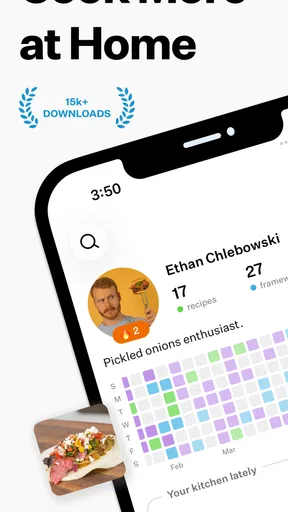
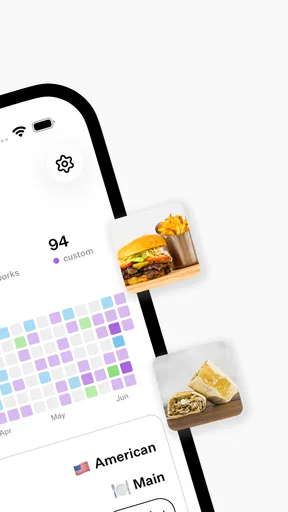
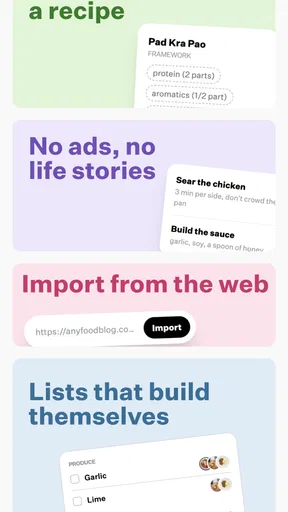
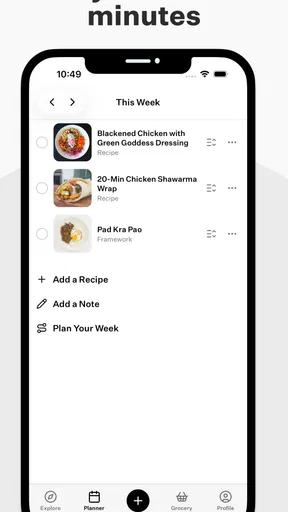
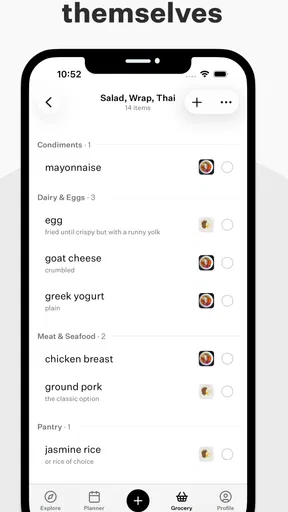
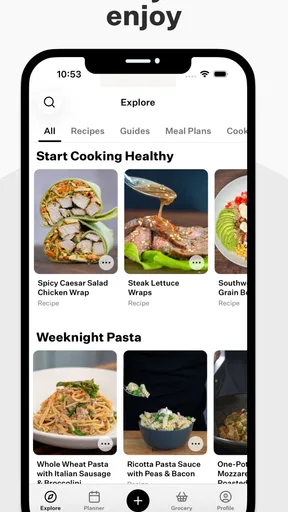
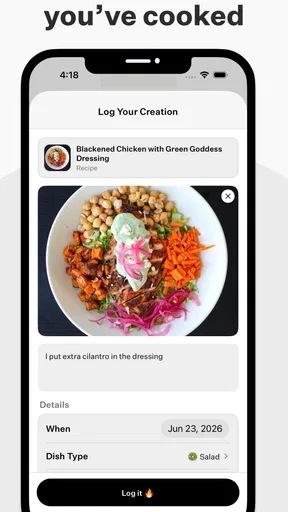
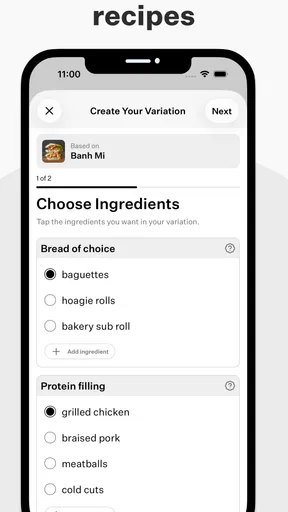
 Analysis by AppCompare
I approached Cook Well - Cook More at Home as a practical Food & Drink app rather than a recipe collection to browse once and forget. Its purpose is straightforward: help turn home cooking into a regular habit. That sounds modest, but it matters because many cooking apps are strongest when you already know what you want to make. Cook Well is more interesting when the real problem is getting from “I should cook tonight” to actually preparing something without making the decision feel like another chore.
My overall impression is mixed but useful. The app has a clear everyday audience, a free entry point, and a simple idea that can fit busy routines. At the same time, its average rating of 3.1 from around 110 ratings suggests that the experience is not universally smooth. I would not install it expecting a polished replacement for every cooking tool on my phone. I would consider it if I wanted encouragement and structure around cooking at home, especially if I was trying to reduce the number of evenings that ended with takeaway food.
What Cook Well is trying to solve
The developer, Cook Well, Co., has positioned this as a habit-building app, not merely a digital cookbook. That distinction changes how I judge it. A recipe app can succeed by offering attractive dishes, clear instructions, and good search. A habit app has to help with repetition, planning, and follow-through. Its value is less about discovering one impressive dinner and more about making the next home-cooked meal feel manageable.
That makes Cook Well suitable for several kinds of users. Someone moving into their first home may appreciate a nudge toward a repeatable routine. A parent or professional with limited energy may want a reason to cook something simple instead of improvising at the last minute. It can also appeal to a person who already knows basic kitchen skills but struggles with consistency. In those cases, the app’s central promise is practical: reduce the mental distance between intending to cook and cooking.
I would be more cautious if you are looking for a highly specialized recipe database, detailed nutrition analysis, advanced meal planning, or a social cooking community. The store summary is about creating home cooking habits, so I would not treat the app as a complete replacement for dedicated tools built around those narrower needs. The best fit is someone who wants support for the behavior of cooking, not just more food content.
First impressions and everyday usefulness
The app is free to download, which makes trying the basic experience relatively easy. It is rated for Everyone, so the presentation is intended to be broadly accessible rather than aimed at a niche culinary audience. It also has over 10 thousand installs, enough to show that the concept has reached a real group of users, while still leaving me reluctant to assume that every edge case has been thoroughly refined.
In a normal weekday scenario, I can see the appeal. Imagine arriving home tired, opening the app before ordering food, and using its habit-focused approach to choose a realistic cooking action. The useful outcome is not necessarily an elaborate meal. It may simply be deciding to prepare something uncomplicated, keeping the barrier low, and repeating that choice later in the week. That is a healthier way to judge this app than asking whether it contains the most exciting recipes.
Worth Reading Before You Choose

Baby Panda World Brings Quick Play to Modern Phones, but Its Game Library Feels Busy

ESPN’s Live Game View Makes Following Close Games Easier

QuizzLand Review: A Good Fit for Short Trivia Breaks, Not Every Player

Basketball Stars: Multiplayer Is Fast, but Can It Recover When Matches Go Wrong?

WEBTOON Turns Phone Updates Into a Better Reading Routine

Link to Windows Runs on Shared Habits, Not Social Feeds
One practical tip is to use it at the point where your routine usually breaks, not only when you are already motivated. If evenings are the problem, check it before hunger and fatigue become overwhelming. If weekends are when you lose momentum, use it earlier in the day to give yourself time to shop or prepare. Habit tools work best when they are attached to a specific moment, and Cook Well’s concept makes that kind of deliberate use more sensible than random browsing.
Trust begins with what the app visibly asks for
Because this app deals with cooking routines, I paid attention to the moments where a user might be asked to make choices about access, accounts, or personal information. My standard here is deliberately narrow: I only trust what is clearly presented and controllable in the app itself. I do not assume that a friendly cooking theme automatically means a privacy-friendly experience, and I do not treat the absence of an alarming impression as proof of strong data practices.
Before committing to a long-term routine, I would look at every permission prompt and account screen carefully. A cooking habit app should make it understandable why a particular access request is needed. If a request appears unrelated to the action I am trying to complete, I would deny it and see whether the core experience still works. That is a useful test for Cook Well because a habit tool should not make users surrender unnecessary control just to prepare dinner.
I would also check whether the app lets me use its central functions without creating an account immediately. If sign-in is offered, I would want the choice to be clear rather than hidden behind a confusing sequence of screens. The difference matters: an optional account can support continuity, while a forced account changes the privacy and convenience trade-off before I have decided whether the app is worth keeping.
My advice is to treat the first launch as an inspection period. Read the wording around permissions, notice whether choices are explained in plain language, and avoid accepting prompts automatically. This is not a criticism unique to Cook Well; it is simply the right way to evaluate any app that may remember routines or connect activity to a personal profile. The cooking purpose does not remove the need for careful choices.
Data-sensitive moments deserve attention
The most sensitive moments are likely to occur when the app tries to remember progress, personalize the experience, or connect activity across sessions. I would pause before entering information that is not necessary for the cooking habit itself. A person may be tempted to add household details, dietary information, or routine preferences because they seem helpful, but I would only provide what improves the experience enough to justify sharing it.
That approach is especially important for people managing allergies or medical diets. A habit app can be useful for encouraging regular meals, but I would not rely on it as the final authority for allergy safety or clinical nutrition. I would verify ingredients and preparation guidance independently, particularly when the consequences of an error are serious. Cook Well may help with motivation, but motivation and medical reliability are different things.
I would also be careful with notifications. Reminders can turn a vague intention into a concrete action, yet too many prompts can make an app feel intrusive and eventually lead to uninstalling it. If Cook Well offers notification choices, I would start with the smallest useful schedule: perhaps one reminder at the time I normally decide what to eat. I would avoid enabling every possible alert until I knew which ones genuinely helped.
Another useful habit is to review the app’s choices after a week rather than accepting the initial setup as permanent. If a reminder is irrelevant, turn it off. If an account is no longer useful, look for a sign-out or deletion control. If a screen makes it difficult to understand what is being saved, do not add more personal information until that is clear. These small checks preserve user agency without preventing the app from being useful.
Where the free model helps, and where it may frustrate
The free price is a real advantage for experimentation. You can decide whether Cook Well fits your routine before treating it as a serious part of your meal planning. That is important because habit apps are personal: a feature that motivates one person may feel like nagging to another. A free starting point lowers the cost of discovering that difference.
There are in-app purchases ranging from $9.99 to $84.99 per item, so I would pay close attention before confirming any upgrade. The wide span suggests that some purchase options may represent substantially different levels of commitment. I would not buy simply because a prompt appears after I have completed a useful action. Instead, I would first use the free experience long enough to identify the exact limitation I am trying to solve.
This is one of the app’s clearest trade-offs. If the free version gives enough structure to establish a routine, the purchase may be unnecessary. If the most useful planning or habit features are placed behind a high-cost option, the value calculation becomes more demanding. I would compare the purchase with cheaper alternatives such as a notes app, a calendar reminder, or a basic recipe service before spending money. Those alternatives may lack Cook Well’s focused cooking angle, but they can cover parts of the same workflow.
A good test is to ask whether the paid option changes behavior or merely adds more content. More recipes can be pleasant, but the core question is whether the app helps me cook on a difficult Tuesday. If an upgrade does not improve that moment, I would keep the money and use the free tools or another service. This is also why I would avoid judging the app solely by the maximum purchase price; the right decision depends on what the free experience already accomplishes and what each paid choice actually unlocks.
How it compares with familiar alternatives
Compared with a traditional recipe app, Cook Well appears more focused on consistency than culinary breadth. A conventional recipe service is usually better when I have ingredients to use, a specific cuisine in mind, or a need for detailed cooking instructions. It may offer stronger search and more variety. Cook Well is the more relevant choice when the obstacle is not finding a recipe but creating a reason to cook at all.
Compared with a notes app or calendar, Cook Well offers a more purpose-built setting for home cooking. A note can hold a list of meals, and a calendar can schedule cooking time, but both require me to design the system myself. The trade-off is flexibility: generic tools can be adapted to shopping, chores, budgets, and other parts of life, while Cook Well is narrower by design.
Compared with a meal-delivery service, the difference is even more direct. Delivery removes preparation effort, while Cook Well encourages me to keep that effort manageable and repeatable. I would choose the app when my goal is to build confidence and routine. I would choose delivery when time, energy, or access to ingredients makes cooking unrealistic. Treating one as a universal substitute for the other would miss the point.
A less obvious comparison is a simple recurring reminder paired with a printed cookbook. That combination can be surprisingly effective for someone who already knows what meals they enjoy. Cook Well becomes more compelling when I need encouragement, a dedicated cooking context, or a structured push rather than another place to store recipes. If I already have a reliable system and never struggle with motivation, the app may add little.
Three ways I would use it carefully
First, I would use Cook Well as a decision trigger rather than a complete meal-management system. I would decide in advance what “cooking” means on a low-energy day: assembling a simple bowl, reheating prepared ingredients, or making a one-pan meal. This prevents the app from creating an unrealistic standard that makes the habit harder to maintain.
Second, I would pair the app with a short shopping routine. After choosing a few likely meals, I would check the kitchen immediately and write down only missing essentials. The point is to close the gap between intention and ingredients. A habit prompt cannot solve an empty refrigerator, so linking the app to a quick inventory check makes its encouragement more practical.
Third, I would use it to observe friction rather than blame myself for missed days. If I repeatedly skip cooking after work, the problem may be timing, preparation, or an overly ambitious plan. I would adjust the surrounding routine instead of simply adding more reminders. That is a more useful interpretation of a habit app: it should reveal where the routine fails, not turn every missed meal into a personal judgment.
These workflows also show the app’s limitation. Cook Well can support a routine, but it cannot shop, wash ingredients, manage a household budget, or guarantee that the suggested effort matches my energy. I would keep expectations realistic and use other tools where they are stronger. The app works best as one part of a cooking system, not as the entire system.
Performance expectations and version context
The current version is 1.0.8, and the app runs on Android 7.0 or newer. That broad compatibility is helpful for people using older Android devices, although compatibility alone does not tell me how polished the experience will feel on every screen size or hardware configuration. I would still update the app when updates are available and pay attention to whether navigation, reminders, and account controls behave consistently on my device.
Since the release is relatively early in the product’s life, I would expect some rough edges to be possible. The rating and review volume reinforce my cautious approach: there is enough public feedback to signal mixed experiences, but not enough for me to assume that every type of user has been represented. I would test the functions I personally need during the free period instead of relying on the app’s general promise.
For me, the most important quality check would be reliability at the exact moment I need help. Does the app open quickly when I am deciding what to cook? Are the choices understandable when I am tired? Can I change my preferences without hunting through unrelated screens? Can I silence reminders without losing access to the useful parts? Those questions matter more than a visually attractive first launch because a habit app earns its place through repeated, low-friction use.
Who should try it, and who should skip it
I would recommend giving Cook Well a trial if you want to cook at home more often but keep postponing the change. It is also worth considering if you prefer a focused cooking companion over a huge recipe catalog, or if you need a gentle structure for turning good intentions into repeated actions. The free entry point makes that experiment reasonable, provided you review purchase prompts and privacy choices carefully.
I would skip it if you already have a meal plan that works, a dependable grocery routine, and no trouble deciding what to cook. In that situation, a generic reminder or your existing recipe source may be simpler. I would also look elsewhere if your main requirement is professional-level culinary instruction, medical diet management, extensive nutrition tracking, or a large community of cooks. Those needs call for tools designed around those functions rather than a habit-centered app.
Families should make the decision based on the person who will actually use it. A parent may appreciate a cooking routine, but an app rated for Everyone is not automatically a substitute for supervising children in the kitchen. Likewise, people with allergies should treat any cooking guidance as something to check carefully against trusted ingredient information. The app can encourage behavior; it should not replace judgment.
My cautious verdict
Cook Well, Co. has chosen a useful problem: many people do not need more inspiration as much as they need a repeatable reason to cook. That focus gives this Food & Drink app a clear identity, and I can see it helping someone who wants a small, structured push toward home meals. Its free availability and broad Android compatibility make it easy to test without immediately committing to a purchase.
Still, I would approach it as a promising routine aid rather than a complete cooking solution. The 3.1 average rating tells me to keep expectations measured, while the available in-app purchases make it sensible to understand the free experience before paying. I would also inspect every permission, account option, notification control, and data-related choice instead of assuming that a simple cooking purpose removes privacy concerns.
My recommendation is therefore conditional but positive: try it if your real challenge is consistency, use it alongside a practical shopping and meal system, and judge it by whether it helps on ordinary low-energy days. If you mainly want recipes, nutrition detail, or a flexible general planner, another option may serve you better. The strongest reason to keep Cook Well is not the promise of endless food discovery; it is the possibility of making home cooking feel like a repeatable part of the week.
Pros
- Simple recipes make home cooking easier for beginners.
- Helpful meal ideas can reduce reliance on takeout.
- Useful for planning varied dishes throughout the week.
- Recipes encourage healthier
- freshly prepared meals.
- Cooking at home can help save money over time.
Cons
- Some recipes may require ingredients unavailable in every region.
- Portion sizes may not suit larger families or meal prep.
- Preparation times can vary depending on cooking experience.
- Limited dietary filters may make specialized searches harder.
- Frequent cooking still requires shopping and kitchen cleanup.
FAQs for Cook Well - Cook More at Home
What is Cook Well - Cook More at Home?
Cook Well - Cook More at Home is a cooking-focused app designed to help users prepare more meals in their own kitchen. It can be useful for discovering recipe ideas, organizing cooking plans, and building a more consistent home-cooking routine. Before downloading, users should check the current app description to confirm which recipes, planning tools, dietary filters, and other features are included in the latest version.
Is Cook Well - Cook More at Home suitable for beginners?
The app appears intended for people who want practical support while cooking at home, including users with limited experience. Recipe guidance can make it easier to follow preparation steps and understand what ingredients may be needed. However, beginners should still read each recipe carefully, prepare ingredients in advance, and use their own judgment with cooking times, temperatures, and food-safety instructions, since kitchens and appliances vary.
Does Cook Well - Cook More at Home support different diets or food preferences?
Whether the app fully supports vegetarian, vegan, gluten-free, low-carb, allergy-conscious, or other dietary preferences depends on the features available in the installed version. Users with allergies or medical dietary requirements should not rely solely on recipe labels or filters. Always review the complete ingredient list, check packaged-food labels, and consider substitutions carefully before preparing or consuming any recipe.
Is Cook Well - Cook More at Home free to download?
The app’s download price, subscription model, and available premium features may differ between Android and iOS or change after an update. Before installing, review the official store listing for information about in-app purchases, free trials, advertisements, and renewal terms. If a subscription is offered, check the cancellation policy and make sure you understand when charges may begin.
Can I use Cook Well - Cook More at Home without an internet connection?
Offline access depends on how the app stores recipes and other content. Some cooking applications allow previously opened or saved recipes to remain available without an internet connection, while other features may require online access for updates, images, account synchronization, or new content. If you plan to cook somewhere with unreliable connectivity, test the app beforehand and save everything you need in advance.


